OwnTime
AI Study Assistants for ADHD: An Evidence Check
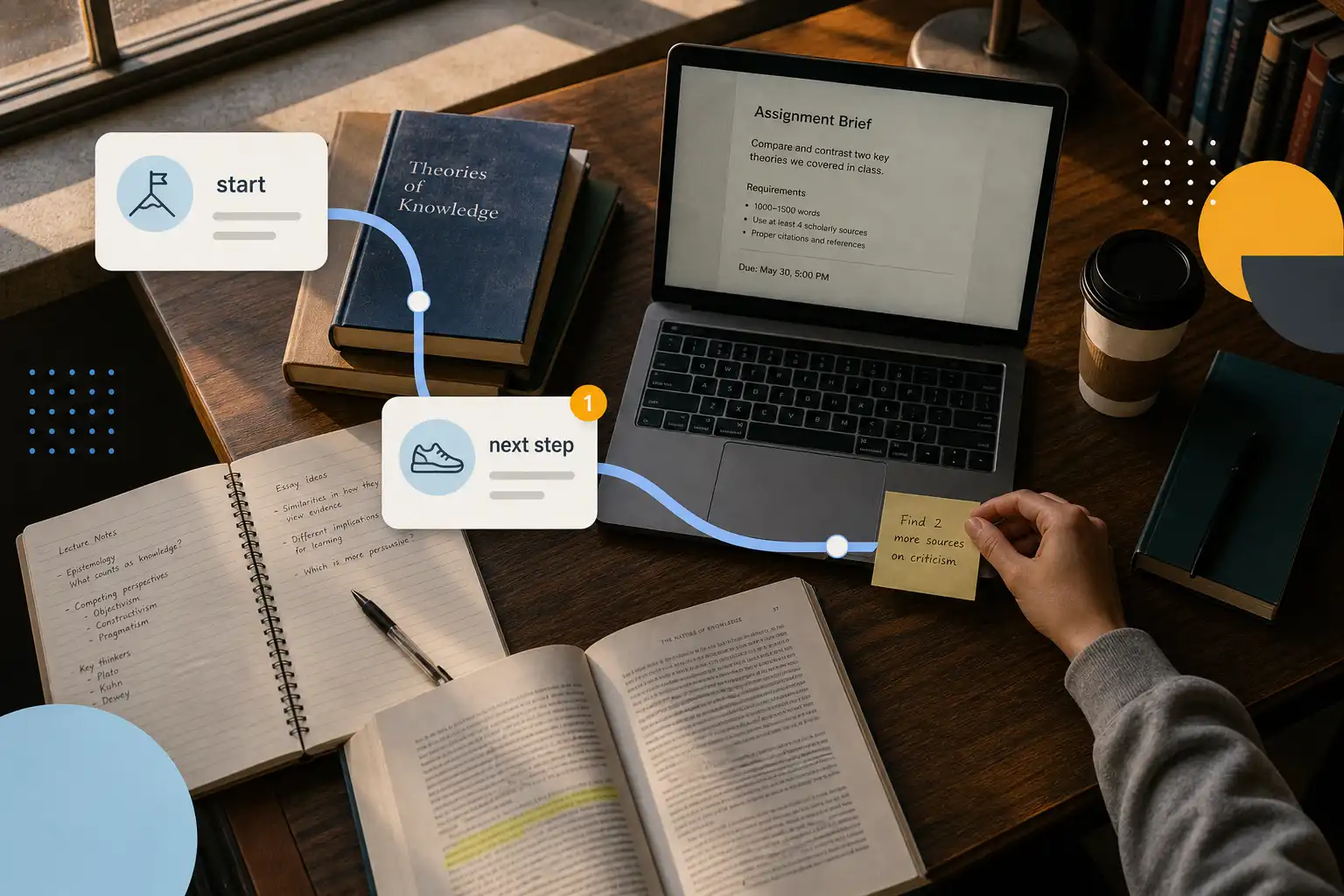
The useful question is whether AI removes a specific point of friction
For a student with ADHD who understands an assignment but cannot get started, the appealing promise of an AI assistant is closing the gap between knowing what matters and beginning. That gap is real.
Executive function covers holding goals in mind, beginning work, estimating time, choosing among competing demands, tracking progress, and regulating reactions when plans go wrong. It does not measure intelligence or effort.
An assistant cannot clinically repair executive function, and no chatbot has established evidence as ADHD treatment. That boundary matters. It can still handle a few small coordination jobs at the exact moment a plan is most likely to break down.
That narrower promise is useful.
What executive-function friction looks like in college
A late assignment often began as a task that sat in a syllabus, moved to a browser tab, and then vanished from working memory until it became urgent. A reminder may arrive too late.
In one longitudinal study of college students with ADHD, self-rated motivation and parent-rated emotion regulation predicted overall impairment beyond ADHD symptoms. Attention is only part of the problem.
That finding is a useful corrective to deadline-only planning, because motivation and emotional load affect whether a plan survives contact with an ordinary Tuesday. Read the study.
| Executive-function demand | What it can feel like | Useful support |
|---|---|---|
| Prospective memory | “I remembered this existed at the worst possible moment.” | Capture tasks immediately and bring them back before deadline panic. |
| Task initiation | “I have time, but I cannot begin.” | Suggest one visible first action, such as opening the reading or finding one source. |
| Prioritization | “Everything seems equally urgent.” | Compare deadlines, consequences, effort, and available time instead of relying on vague priority labels. |
| Time estimation | “This should take twenty minutes” becomes an entire evening. | Use smaller work blocks, then check in after the first one. |
| Self-monitoring | “I spent two hours organizing, not studying.” | Ask whether the action moved the assignment forward. |
| Emotion regulation | One confusing instruction becomes avoidance. | Reduce the task to a clarifying question or a rough first draft. |
These supports shape the environment around executive function rather than replacing the skill itself. A calendar cannot reliably detect an internal state from a few messages.
What the evidence supports, and what it does not
The case for structured support is stronger than the case for any particular AI app. One systematic review found that academic regulation, self-efficacy, emotional regulation, symptoms, and academic and social integration were associated with college success for students with ADHD or learning disorders. Read the review summary.
That result points toward support with several parts rather than a magical planning feature. The measures vary. It also describes factors associated with success, rather than proving that one assistant causes better outcomes.
Structured interventions have firmer evidence than productivity folklore. In a multisite randomized trial, a program combining cognitive behavioral therapy, group sessions, and individual mentoring improved ADHD symptoms, executive functioning, and use of disability accommodations among participating college students. Read the trial report.
An AI assistant might complement that kind of program. It cannot substitute for it.
Research on non-medication interventions for younger people suggests that physical exercise, targeted cognitive training, and executive-function curricula can improve some executive-function outcomes. The findings are encouraging. They do not show that chatting with an AI improves planning or academic performance.
The skeptical view is the sensible one here: “AI that understands your ADHD brain” is marketing until a product explains its method, its data practices, and whether people still use it after the first few weeks. A vague conversational interface is not a method.
Four jobs an assistant can do well
1. Make capture almost frictionless
A useful assistant should accept “chem lab report, sometime next week” without demanding a deadline or a stack of metadata before saving it. Administrative friction is busywork. Capture needs to work while an instructor is speaking, while walking between classes, or while attention is already elsewhere.
The later organization still matters, but it can happen after the thought is safely out of your head. That is the point.
2. Turn intentions into a next action
“Work on history paper” describes a category, while “open the rubric and write two claims I could defend” gives the brain somewhere to start. The difference is large.
AI tools can propose starter steps, outline a work block, and split a task when they receive the relevant constraints. They are far less reliable at estimating whether an assignment needs two hours or two days without context.
3. Surface the best available option
When there are 15 distracted minutes between classes or very little energy after work, choosing a task can consume the time meant for doing it. Choice is often the bottleneck.
OwnTime, for example, is designed to recommend tasks from their details and current context rather than making someone excavate a long backlog each time. The recommendation engine matters less than the result. A plausible next move can be enough to get work underway.
4. Create a brief reflection loop
The strongest assistant behavior may be a check-in such as “Did that reading take longer than expected?” or “Should the plan change for the assignment due Friday?” Those prompts expose a fictional plan before it turns into an all-nighter.
Good support often feels boring.
It catches the mismatch between the intended week and the actual week early enough to change course.
Where AI assistants are a poor fit
An assistant becomes counterproductive when it creates more material to manage than it removes. That happens more often than product demos admit.
- It produces elaborate schedules you do not follow. Shrink the horizon to today or the next assignment milestone.
- It invents academic facts or misunderstands instructions. Treat generated explanations and citations as leads to verify, never as source material to submit.
- It keeps asking questions when momentum matters. Set a default that proposes one next action before asking for more information.
- It treats unfinished work as a personal failure. Leave room for rest, meals, travel, illness, and changes in capacity.
- It asks for more personal data than the job requires. Check what is stored, who can access it, and whether deletion or export is available before sharing health information or private notes.
Importing a calendar can be reasonable because class times and appointments affect planning. Granting unrestricted access to messages or health records is a different tradeoff.
Test one workflow for seven days
Do not move your entire life into a new tool during midterms. Run a seven-day trial around one recurring failure point instead. The goal is to learn whether the assistant removes friction, not whether its setup screen looks impressive.
- Choose one recurring failure point. Try forgotten small assignments or difficulty beginning a study session.
- Give the assistant one limited job. It might capture incoming tasks, while another trial could focus only on suggesting a first step.
- Keep your current calendar and course platform. Replacing every system at once makes it impossible to identify what helped.
- Track one outcome. Count started study sessions or assignments caught before the final day.
- Review the friction, not your character. If prompts went unused, consider whether they appeared at the wrong time, were too vague, demanded too much effort, or came through the wrong channel.
Troubleshooting a failed trial
| What you notice | Likely problem | Specific adjustment |
|---|---|---|
| You swipe away every notification. | The reminders are frequent but not actionable. | Reduce them to one or two decision points and include a concrete next action. |
| You add tasks but never return. | Capture works, but retrieval does not. | Add a short daily recommendation tied to an existing routine, such as after lunch. |
| You spend more time refining the plan than working. | The tool is feeding planning theater. | Limit planning to 10 minutes, then require one action that creates visible assignment progress. |
| Recommendations feel wrong. | The assistant lacks context or follows rigid rules. | Add deadlines, rough durations, energy preferences, and calendar constraints, then reject bad suggestions consistently. |
| You feel worse when you fall behind. | The plan has no recovery mode. | Create a minimum viable day with one academic action and basic care tasks. |
The right adjustment is usually smaller rather than more sophisticated. Advanced planning earns its name only if it survives a normal Wednesday.
Use assistance without giving up judgment
Students with ADHD do not need a digital authority grading their choices throughout the day. They need fewer preventable decisions when attention, motivation, time awareness, or energy are running low.
Use an assistant to externalize deadlines, name the next workable action, flag a plan that needs revision, and prompt a brief check-in. Keep decisions about goals, health, and accommodations in human hands.
Before paying for an AI study assistant, ask for one clear job it will do, the information it needs to do it, and a way to tell within seven days whether it helped. If the answer is vague, the tool is probably selling hope more than support.
Related articles