OwnTime
Deep Work for ADHD: A Flexible Todoist Setup

A 35-minute block can count as deep work
A 35-minute session spent comparing insurance plans or drafting a portfolio page counts as deep work when it keeps attention on a meaningful task that needs thought. That counts. Personal deep work can mean planning a move, researching care options, sorting finances, or moving a creative project past the first sticky stage.
Attention is not equally available across a day, and adult ADHD research shows that performance can shift with time on task. Research on sustained attention supports treating those shifts as design input rather than a moral score. Focus is variable.
The four-hour, cabin-in-the-woods version of deep work is wildly overrated for personal life. A repeatable 35-minute block that moves something forward is the better system.
Decide what earns protected attention
Trying to make every task into deep work makes a task list heavy fast. Reserve focused time for work that benefits from continuity, then give appointments and small chores a simpler home.
| If the task is... | Treat it as... | Put this in Todoist |
|---|---|---|
| Due at a particular time, such as a dentist appointment | A calendar commitment | Add the event to your calendar and create a preparation task when needed |
| Under 10 minutes with little thinking required | A quick action | Capture it normally and batch it with other small tasks |
Important but vague, such as sort out insurance |
A planning task | Write one next decision, such as Find policy number and write two questions |
| Likely to take 30 or more minutes of thinking or creating | A deep-work task | Add a concrete next action with an @focus label |
| Easier with another person nearby | A supported focus session | Schedule a body-double call or work near someone, then add the first action |
Organize the apartment is a category wearing a trench coat, while Measure the hallway closet and choose two storage options has a finish line you can see. Small tasks are easier to re-enter.
Build a calm Todoist focus view
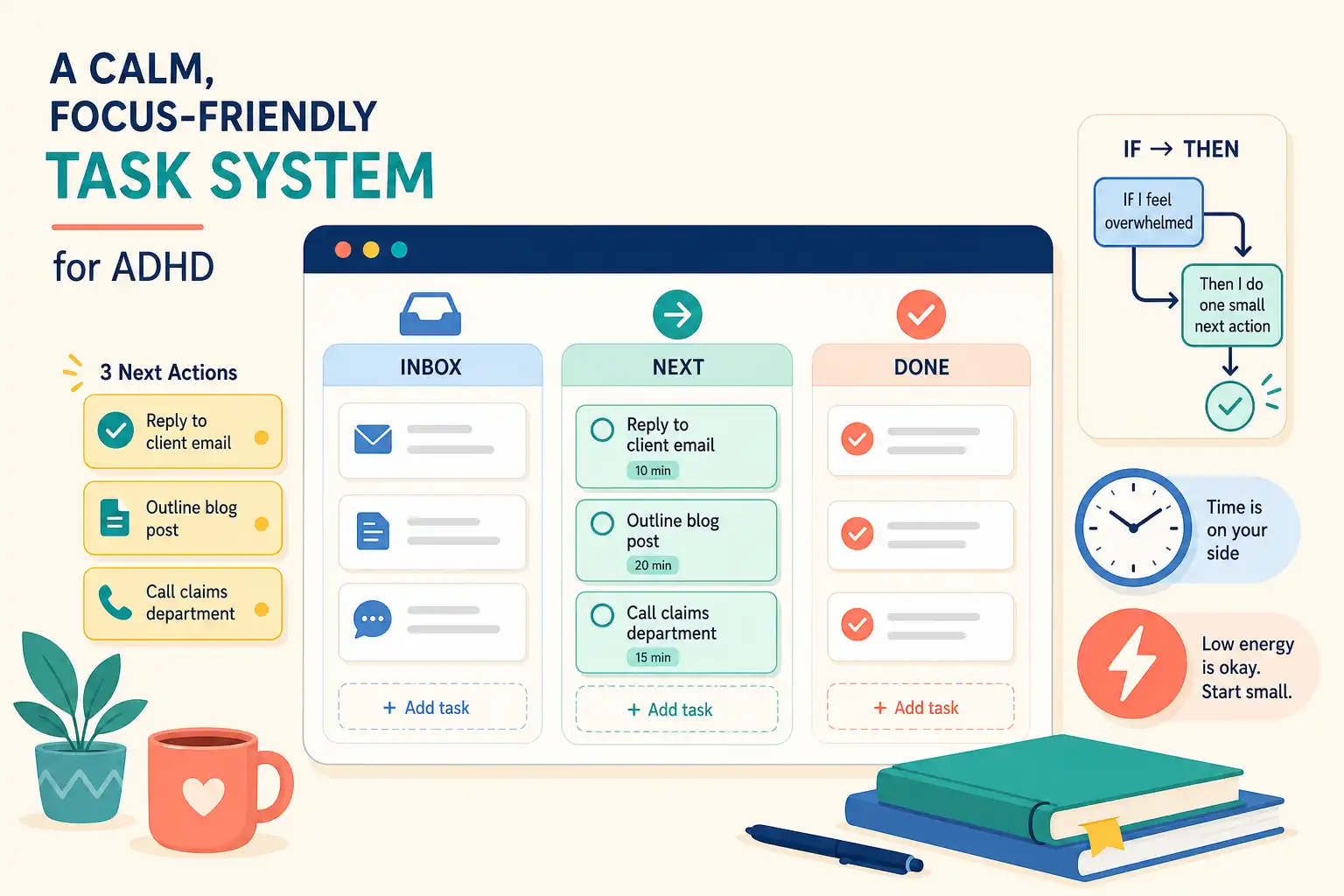
Todoist can hold enough structure through Quick Add, labels, priorities, projects, subtasks, and filters without demanding that every hour of the week be planned in advance. The goal is fewer decisions at the moment of starting.
Make a Focus project
Create one project called Focus and keep only current personal tasks there that need a sustained stretch of attention, rather than every someday project that has ever sounded useful. Five to 10 active tasks is enough.
Projects such as Home, Health, Money, or Creative Work can still hold their broader context, while Focus acts as the short working menu. If duplicating tasks between projects is irritating, skip the extra project and use @focus alone. Friction is data.
Use one label and fewer priority flags
Add @focus to tasks that need sustained attention, then reserve high priority for work with a genuine deadline or consequence. A row of red flags quickly becomes visual wallpaper. Save urgency for actual urgency.
A saved filter can show overdue focus tasks, items due soon, and work intentionally chosen for the current week. That view is the point. Todoist's guide to views, filters, and labels explains how to build custom views across projects.
Write tasks that survive a distracted return
A useful focus task tells Future You where to begin without demanding a full memory reload, so put reference links, numbers, notes, or a tiny definition of done in the description. Start with a clear verb.
Plan tripbecomesChoose a train route and save two departure options for the Lisbon trip.Deal with taxesbecomesOpen tax folder and list missing documents.Work on novelbecomesDraft the argument between Maya and Rowan and stop after the scene turns.Research carebecomesCompare the two providers saved in the notes and record appointment availability.
The task does not need to explain the whole project. It just needs to get you through the door.
Set up the runway before the block starts
Many focus blocks fail before the timer begins because the task is vague, materials are missing, or six reasonable options are competing for attention. That is ordinary executive-function friction. A two-minute setup protects the session from all that unnecessary switching.
Before starting, do these four things:
- Name the finish line. Decide what would be enough for this session, such as one outline drafted or two options compared.
- Open the starting material. Load the document, website, folder, book, or supplies before the timer starts.
- Choose a modest boundary. Try 25, 35, or 50 minutes, then adjust for the task and available energy.
- Keep a distraction parking lot. Use a nearby note for thoughts such as
reply to Samorlook up that recipe.
Use a loose calendar window when a fixed appointment time creates more pressure than help, such as Focus on money task sometime after lunch. That is intentional. A meeting, migraine, surprise errand, or poor night of sleep should not turn a plan into evidence against you.
Leave a clear handoff at the end
Clean endings make a focus practice easier to repeat. Research on prospective memory and ADHD links difficulty carrying out delayed real-life intentions with procrastination, which helps explain why an external next-step cue can matter so much. This study on prospective memory and procrastination offers a useful frame for that problem.
When the timer ends, take one minute for four actions.
- Check off work that is actually complete.
- Write a brief stopping note, such as
Sources are in the spreadsheet; compare monthly costs next. - Rewrite the next physical action if the task changed during the session.
- Close the document or tab on purpose.
Stop even when the project is unfinished. A deliberate stopping point makes tomorrow's return less fuzzy and leaves a visible re-entry ramp.
Use breaks that help you come back
After concentrated work, choose a break that changes your state without quietly taking the next hour, such as water, food, fresh air, stretching, or emptying the dishwasher. Pick one and let it be enough.
Scrolling can be a break, but it is a poor default transition when there is an intention to return. It often turns a five-minute pause into an accidental disappearance. Treat it like leaving cookies beside the keyboard: allowed, just optimistic.
A low-effort recovery action can also live in Todoist after a mentally heavy task, especially when switching gears is hard. Walk around the block, move laundry to the dryer, make tea, and take a shower are legitimate tasks. The day needs recovery space.
When the plan breaks, shrink the block
Missed focus sessions happen because life includes other people, fatigue, appointments, and surprise administrative nonsense. That happens. Instead of automatically moving a missed two-hour block to tomorrow, decide whether the task still needs deep attention or needs a smaller version.
- With 10 minutes, open the task and set it up for later.
- With 25 minutes, complete one meaningful slice, such as reading one document or outlining two decisions.
- With low energy, gather materials or clarify the task description.
- With no capacity today, move the task intentionally and remove a guilt-based due date that no longer means anything.
Shrinking the session preserves contact with the project. That beats waiting for a perfect block that may never arrive.
Let the system reduce choices
Todoist works well when a clear focus view makes it easy to pick one task, yet selecting that task remains its own executive-function job after a draining day. Choice can be the bottleneck. A maintained list still asks for a fast judgment about energy, timing, deadline pressure, and context.
When that judgment keeps blocking the start, OwnTime can complement manual Todoist curation by surfacing suitable tasks based on timing, task effort, deadlines, and current context. The useful tradeoff is a smaller timely menu while personal judgment stays involved. For a closer comparison with calendar auto-scheduling, see OwnTime vs Motion for ADHD deep work.
During a weekly review, remove stale focus tasks until the list feels scannable again, then rewrite any item that still requires a memory search to begin. Keep the 35-minute option available. A system earns its place when returning to work feels easier on an ordinary Tuesday.
Related articles