 OwnTime
Procrastination: Obsidian vs Google Tasks for Students
The decision students actually need to make
For a student staring at a 2,000-word paper, Google Tasks and Obsidian remove different kinds of friction. A systematic review of 27 empirical studies links academic procrastination with fear of failure, perfectionism, and difficulty regulating emotions, so no checklist can settle the whole problem. Planning still helps.
A useful system can keep deadlines, assignment context, source material, and a next action outside your head, which removes one layer of resistance when attention is thin. That matters.
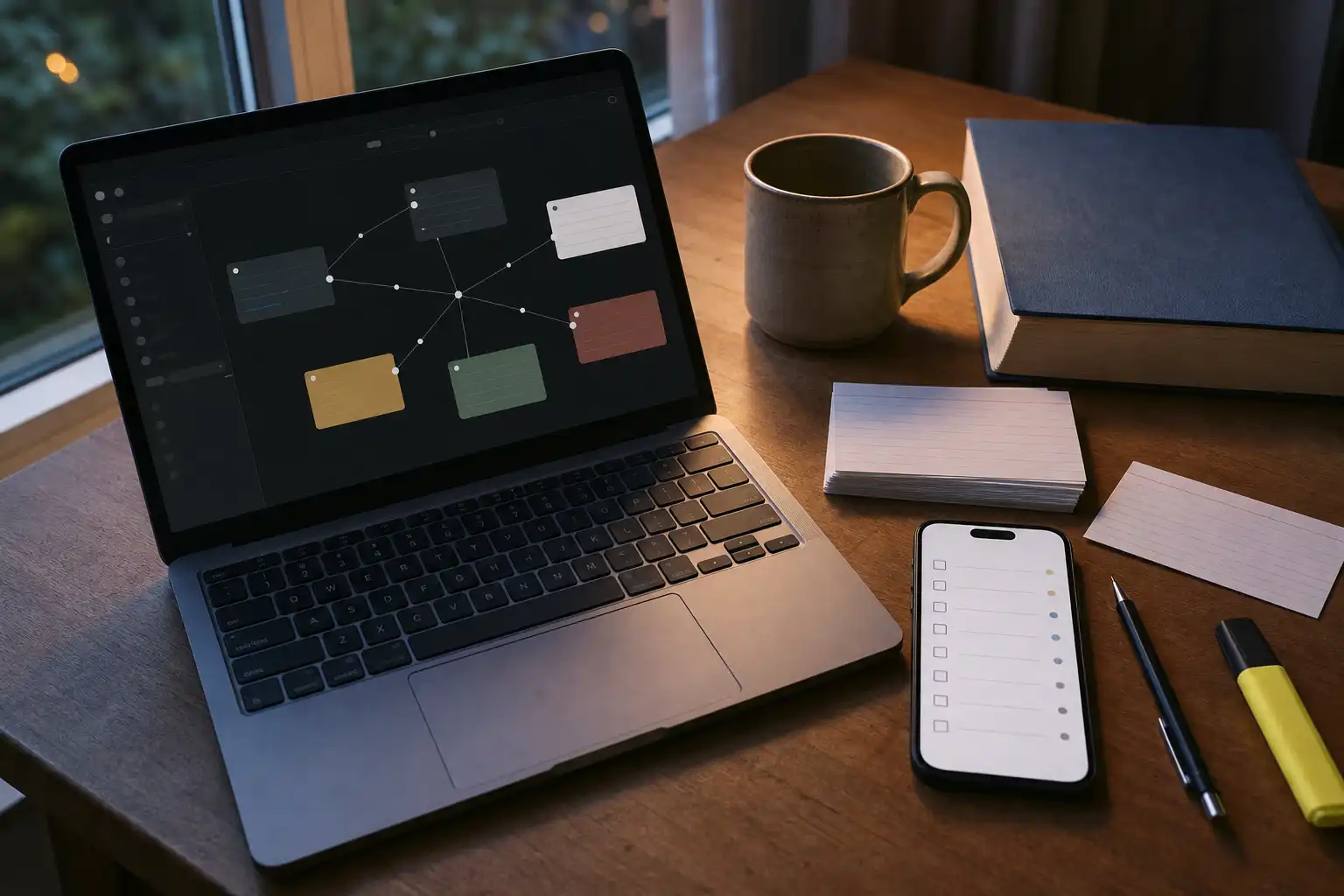
Obsidian is a local, Markdown-based workspace for connected thinking, while Google Tasks is a lightweight manager built around lists, dates, subtasks, and close ties to Google Calendar and Gmail. One holds the work; the other surfaces the commitment.
Google Tasks is the better default for most students in a busy semester because quick capture and visible due dates beat a customized setup that needs regular maintenance. Start simple.
Obsidian vs Google Tasks at a glance
| What a student needs | Obsidian | Google Tasks | Likely effect on procrastination |
|---|---|---|---|
| Keep project material together | Excellent for linked notes and project pages | Limited space for supporting material | Obsidian helps when confusion blocks progress |
| Capture a new assignment quickly | Fine, though you need to open the right note | Excellent for fast entry | Google Tasks lowers capture friction |
| Track a deadline | Possible with a personal setup or plugin | Straightforward with dates and Calendar visibility | Google Tasks makes dates easier to notice |
| Plan a large paper | Strong for outlines and working material | Best for a short run of actions | Obsidian makes complicated work less abstract |
| Review today's workload | Needs a daily note or saved query | Simple dated tasks and lists | Google Tasks reduces daily decision overhead |
| Customize a workflow | Extremely flexible | Intentionally limited | Obsidian suits people who enjoy maintaining systems |
When Obsidian earns a place
Obsidian shines when postponement comes from uncertainty about the assignment itself. A project note can hold the prompt, tutor feedback, source excerpts, a rough outline, and open questions in the same place. Vagueness has somewhere to go.
Plain Markdown checkboxes are enough to begin, while community plugins can later add due dates, repeating work, saved queries, and dashboard views when a concrete need appears. That freedom has a cost.
Choosing folders, tags, templates, and plugins before starting an essay can become sophisticated procrastination, which is why complex task workflows are a poor beginner choice in a packed term. Earn complexity later.
When Google Tasks is the better fit
Google Tasks works best when the next action is already clear and the main risk is that it will disappear among email, syllabus PDFs, class notes, and messages. It captures commitments quickly.
Its deliberate limits can prevent a course from turning into an organization project when you are behind, and dated tasks are easy to revisit alongside calendar commitments. Plain can be useful.
A research paper can suffer when its task list is separated from the quotations, research question, draft, and feedback that explain the work. Use a project note when context is the blocker.
Match the tool to the blocker
Choose based on why you delay rather than on feature count. The source of the stall tells you whether you need more context, stronger reminders, fewer setup choices, or a clearer first step. Choose on that basis.
-
The work is conceptually tangled. Use Obsidian when
work on the history paperleaves you frozen, since gathering evidence and writing a rough structure beside the assignment turns an abstract demand into a visible move. Keep it in one note. -
You know the next step but still delay it. Use Google Tasks when deadlines vanish among email, syllabus PDFs, class notes, and messages; giving
PSY 110: read pages 40–55a date makes the commitment easier to find. -
You keep rebuilding your system. Google Tasks is the safer choice when changing your setup feels more satisfying than opening the assignment, because its limits leave less room for productive-looking avoidance. Boring is good here.
-
Tasks lose their purpose once they hit a list. Obsidian, or a small hybrid, helps when seeing the assignment beside its notes and draft material restores the reason for doing it.
Start with a setup that survives busy weeks
Each setup below is small enough to survive midterms, group work, travel, and low-energy weeks rather than an imaginary perfect Monday. Keep the surface area small.
A minimal Google Tasks setup
-
Create one
Schoollist and use course prefixes, because a task such asBIO 102: outline lab reportis easier to scan than six separate lists. Keep names action-based. -
Add dates only for hard deadlines or work that is truly time-sensitive, since fake due dates make a calendar less trustworthy over time. Keep the calendar honest.
-
Break a major assignment into four visible actions such as choosing the question, finding sources, building an outline, and drafting an opening. Small verbs reduce the barrier to starting.
-
Before each study block, choose one task and define what counts as starting before opening social media, messages, browser tabs, or streaming sites. Make the finish line visible.
A minimal Obsidian setup
-
Make one note for each active course project, then put the assignment prompt, useful links, rough ideas, and source notes there. Give every project a clear home.
-
Put a
Next movessection at the bottom of that note and keep only two unchecked actions there, each phrased so it can begin without extra planning. Make the first move concrete. -
Use a daily note only to select one or two actions for the day, then return to the project note whenever you need the surrounding material. Avoid copying whole checklists.
-
Skip task plugins until plain notes and checkboxes have helped consistently for several weeks, because extra features should solve a problem you have actually met. Let experience set the requirements.
Use both only when the boundary is clear
For research papers, design work, dissertations, and reading-heavy courses, keeping notes in Obsidian and commitments in Google Tasks is cleaner than making either tool imitate the other. The boundary does the work.
-
Keep notes, quotations, source links, outlines, and rough thinking in Obsidian, where they can stay attached to the project. This is the context layer.
-
Put only the next action, a deadline, or another item that must appear in a daily review into Google Tasks.
-
During a weekly review, open each active project note and promote only its next real action into Google Tasks. One task gets one active home.
-
If the same checklist appears in both places, each edit becomes maintenance and the copies eventually diverge, so leave most checkboxes with the project note.
When choosing is the problem
A long mixed backlog can create a different stall. Deciding between assignments, errands, routines, and personal plans can consume the study block before work begins.
Recommendation-based planners such as OwnTime can surface a reasonable next action using deadline, importance, expected effort, duration, and available time. That can reduce the scroll-and-stall loop.
Do not add another app by default, especially when a dated Google Tasks list is already catching work and showing what belongs in today's study block. Fewer surfaces usually win.
A practical default
Start this semester with Google Tasks if you need deadlines in view and assignments captured quickly, then add an Obsidian project note only when a course has enough reading or research to make context hard to hold. That boundary stays simple.
Before your next study block, enter a five-minute task such as open the rubric and highlight the required sections, then open the relevant note or document. Do that before opening messages.
Related articles
Time Management for Students: Practice, Not Perfect Plans
ADHD Routines: 7 Systems That Resist Procrastination
Sunsama vs TickTick for ADHD Procrastination
Work Procrastination: Stop Slippery Deadlines in TickTick
Todoist Routines That Survive Busy Student Weeks
Todoist vs TickTick for Students: Pick Your Failure Mode
