 OwnTime
Todoist Routines That Survive Busy Student Weeks
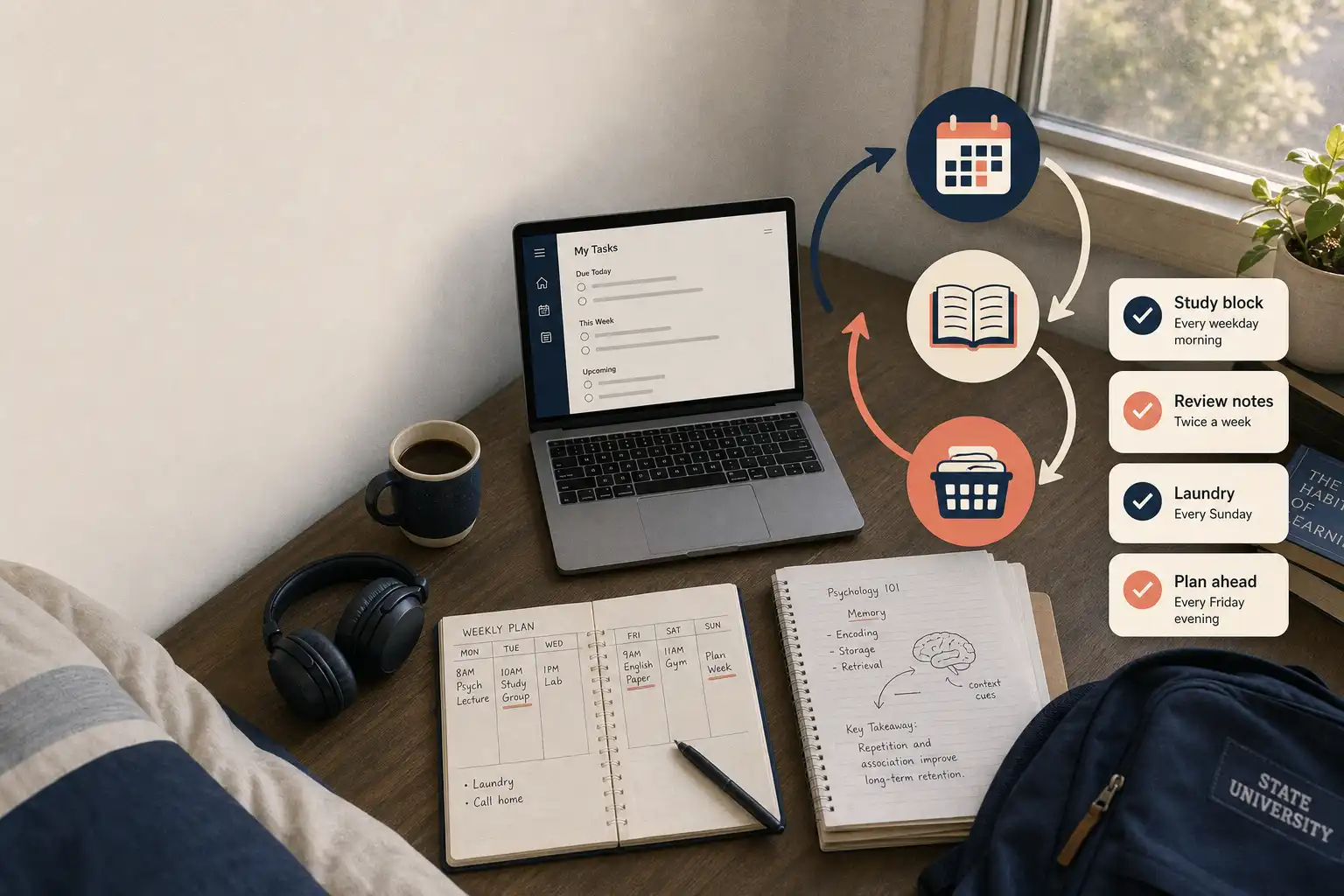
Build routines around cues, not perfect times
Your routine should tell you exactly what to do after a reliable event, even when Tuesday has gone sideways. A 7:00 p.m. study rule that works only on calm evenings is too fragile. It will break.
Classes, shifts, deadlines, energy levels, and social plans can move fast during a semester, so attach useful actions to moments that still happen, such as leaving your first class, arriving home, finishing dinner, or opening a laptop at the library. Use cues instead of perfect times. Each cue removes the small but costly decision of when to begin.
Rigid, minute-by-minute schedules are bad advice for most students.
Why flexible planning holds up
Time management is associated with better learning outcomes, although it will not solve every academic problem by itself. Planning helps. A 2026 meta-analysis covering 31 studies and 13,506 college students found a moderate positive correlation between time management and learning outcomes (Ma and Jia, 2026).
The most useful idea here is the implementation intention, often called an if-then plan. Instead of adding a vague task such as “study more,” write a rule like, “If I finish my last class before 4:00 p.m., then I will review today’s notes in the library for 25 minutes.” The decision is already made. A large meta-analysis of 642 tests found that contingent if-then plans improved cognitive, emotional, and behavioral outcomes, particularly when people rehearsed the plan and cared about the goal (Sheeran, Listrom, and Gollwitzer).
That rule does not require you to study at the same exact time every day. It gives you a workable response when the right cue appears.
Set up a small Todoist system
Keep the setup small enough that it saves mental effort rather than becoming a second academic administration job. Your goal is to spot the next useful action quickly. Nothing more is required at first.
| Part of the system | What it holds | Example |
|---|---|---|
| Inbox | Things to remember before deciding where they belong | “Ask tutor about citation format” |
| Course projects | Assignments, readings, exam prep, and course-specific steps | “Draft biology lab introduction” |
| Life project | Errands and maintenance that keep the week running | “Wash bedding” |
| Context labels | Where, when, or under what energy conditions a task fits | @campus, @home, @low-energy |
| Routine tasks | Repeating actions with a clear trigger or rhythm | “Weekly course check-in” |
Four labels are enough for a first week: @campus, @home, @low-energy, and @15-minutes. During a gap between classes, opening @campus gives you a short menu instead of one giant task list. Choosing gets faster.
Todoist recognizes natural-language dates such as “every Monday,” then moves a completed recurring task to its next scheduled date. It also supports completion-based recurrence with the every! format, such as every! 7 days (Todoist’s recurring-date guide). That difference matters.
Choose the right repeat rule
Different recurring tasks need different rules, and forcing them into the same weekly pattern creates overdue clutter. Use the repeat style that matches how the task actually happens.
Fixed commitments with calendar-like recurrence
Choose a fixed recurrence only when the task happens at a specific time or on a specific day, such as submitting an attendance form every Friday or attending a Tuesday seminar at 10:00 a.m. Its timing matters.
Flexible maintenance with completion-based recurrence
Some jobs need regular attention without belonging to a particular weekday, and a completion-based rule keeps them moving without punishing you for missing Sunday. Laundry fits. So do backing up class files or calling family.
Try Wash clothes every! 7 days for work that should recur after completion rather than after a fixed date. This is the repeat rule students tend to underuse most.
Study routines that repeat the cue
Avoid a giant recurring command such as “Study psychology every weekday,” because it offers no obvious first move when you open it. Make a brief check-in recur instead.
Review syllabi and add this week’s deadlines every SundayProcess notes for 10 minutes after each classChoose the next smallest step for each assignment every ThursdayPack bag and check tomorrow’s first commitment every evening
A check-in has a defined finish, which makes it easier to start when your energy is low. Its finish line is clear. If it reveals that an essay is due soon, add the next physical action, such as finding two sources or drafting a rough outline.
Write routines as if-then plans
Give each routine a task name that makes the cue and action obvious, even if the wording stays casual. Precision beats motivational language here.
- If I finish my first class early, then I review today’s notes for 10 minutes before leaving campus.
- If I get home after a late shift, then I pack my bag and choose tomorrow’s top task.
- If I sit down at the library, then I start with the smallest task in my current course project.
- If I notice I am avoiding an assignment, then I create one task that takes under 15 minutes.
- If I finish a long writing session, then I take a proper break before opening another demanding task.
Build a backup version for routines that matter, because the ideal version will eventually collide with a rough day. For example, a 30-minute post-class review can shrink to photographing the whiteboard, filing the notes, and writing one question to revisit later. Both versions keep the loop alive.
Run a 15-minute weekly reset
Attach your weekly reset to a cue that already exists, such as Sunday afternoon, Monday morning, or the first quiet block after your final class of the week. Keep it to 15 minutes. A sprawling review is easy to avoid.
- Check each course syllabus, learning platform, and calendar for deadline or schedule changes.
- Add the next actionable step for every assignment due within the next two weeks.
- Move unfinished tasks that still matter, then delete or rewrite tasks that do not.
- Look at fixed commitments and identify realistic study windows.
- Choose one maintenance task that would make the next week easier, such as laundry or meal prep.
Do not fill every open hour during this reset, because travel, surprise work, tired evenings, and underestimated assignments always take some space. Leave slack. A plan with no slack is already late.
Fix routines that keep breaking
A failed routine is useful data about the design, not proof that you cannot follow routines. Change the rule before judging yourself.
| Failure mode | Sign you will notice | Specific adjustment |
|---|---|---|
| Too many recurring tasks | You dismiss several repeats every morning | Keep repeats that prevent a concrete problem; turn the rest into a weekly check-in list. |
| Routine is too vague | You see “work on essay” and open social media | Replace it with a first action, such as “find one scholarly source for essay.” |
| Timing is too rigid | A missed class or shift creates an overdue pile | Switch a fixed rule to completion-based recurrence, or attach it to a cue such as leaving your last class. |
| Routine needs too much energy | You repeatedly skip it at night | Create a five-minute minimum version and save the full version for a better time of day. |
| You cannot choose work during a gap | You browse your full task list without starting | Open @campus or @low-energy and select a task that fits the available time. |
If a task has been skipped for three weeks, stop moving it forward automatically and inspect the rule. It may be unnecessary, poorly defined, or attached to the wrong cue. Change one thing.
Let Todoist reduce decisions
For the next seven days, test only the smallest version of your system and watch where it catches you. Keep the routines that remove friction, then trim the ones that merely create notifications.
Todoist works well when you want to define the rules yourself and keep recurring work visible. If the harder part is choosing the next task from a growing mix of school and life commitments, OwnTime can suggest context-appropriate work, including low-effort tasks for short gaps and breaks after demanding sessions. That reduces the staring-at-the-list problem.
After one busy week, delete repeats you dismissed twice and rewrite one delayed task into an action that takes under 15 minutes. Let those results shape the next version of the system.
Related articles
To-Do Lists for Founders: Keep Routines on Track
Todoist vs TickTick for Students: Pick Your Failure Mode

ADHD Work Habits That Survive Interruptions
Routines for Knowledge Workers: A Flexible ChatGPT System
Time Management for Students: A Sunsama Planning System
Parents’ Routines: Notion vs Todoist
