OwnTime
Claude Family Todo Lists: A Simple Parent Setup

Put the family load somewhere visible
A shared family list can catch the school form, the shrinking shoes, and the odd bathroom fan before they all compete for space in one person's head. That relief matters.
The hidden work of family life includes noticing needs early, comparing options, tracking deadlines, and deciding who will follow through. The imbalance can be hard to see. Research on household cognitive labor finds that this ongoing planning work is often distributed unevenly between parents (Journal of Marriage and Family).
A list will not settle every question about fairness, yet it gives the family something concrete to discuss instead of leaving the work invisible.
Give Claude a focused job
Claude is most helpful at the messy start, when a family has fragments such as “buy a birthday gift,” “check the school form,” “the fan sounds strange,” and “sort out dinners,” rather than a neat set of actions. That is useful. It can turn those fragments into next steps, point out missing information, group related work, and suggest an order.
Planning and follow-through are separate jobs. Claude should not be your only family task system. Chats disappear down the page, especially on a hectic Tuesday.
Use a simple split of responsibilities.
| Tool or place | Best job |
|---|---|
| Claude | Brain dumps, planning conversations, checklists, message drafts, and dependency checks |
| Calendar | Time-specific events, appointments, and school dates |
| Task system | Assigned actions, recurring chores, completion tracking, and reminders |
| Shared note or document | Reference details such as meal ideas, clothing sizes, and travel information |
This is the tradeoff worth making: keep Claude for thinking sessions, while a task app handles reminders and daily follow-through.
Start one Family Operations project
Create one Claude Project with a plain name such as Family Operations, Home Base, or The Rivera Household. One project is enough. Claude Projects are available on free accounts, which can create up to five projects, and each project can retain uploaded knowledge plus standing instructions across chats (Claude Help Center).
Avoid documenting your whole life. Add only details that save repeated explanation and that your family is comfortable sharing with the service.
Add a short reference note
Include a small document or pasted note with five useful categories.
- Each adult’s normal work hours and regular commitments
- Children’s school or childcare schedule
- Regular activities and pickup responsibilities
- Dietary needs and household constraints
- Names used in planning, such as Grandma or the building manager
Add a few operating preferences too, such as avoiding errands on soccer evenings. Keep it current. Leave out account credentials, medical records, passwords, and other private material that does not improve planning.
Add standing instructions
Project instructions guide Claude in every chat within that project, while reference information needs to be saved in project knowledge if you want it available later. Put the repeating rules there. Try this instruction.
You are helping our family plan household and parenting tasks. Convert vague items into specific next actions. Separate fixed-date commitments from flexible tasks. Ask a question when ownership or timing is unclear. Do not create an overpacked schedule. Recommend at most five household priorities for a week, and include a “can wait” section.
The five-priority limit prevents a polished plan from becoming an exhausting one. Less is better here.
Run a 15-minute brain dump
Choose a time when nobody is leaving the house, set a 15-minute timer, and capture every loose end that has been circling. Do not organize it yet. Type into a shared note or dictate while another person records the fragments.
Include tasks likely to create stress later, including small maintenance jobs that are easy to postpone. Write “sort out summer clothes” before deciding whether it belongs this weekend.
Paste the raw note into a new chat inside the project and use this prompt.
Turn this family brain dump into a practical list. For each item, write one concrete next action and suggest an owner only when it is obvious. Use the labels fixed date, this week, soon, waiting on someone, or can wait. Flag missing deadlines or decisions as questions. Then recommend the five most important actions for this week based on our family reference note. Keep the tone neutral, and do not assign every task to the same person.
For example, Sam and Jo might enter “find costumes,” “email teacher,” “oil change,” “grandparents visiting,” “pay activity fee,” and “we are out of easy lunches,” then get back a list that puts the activity-fee deadline and teacher email first. The costume task becomes “measure kids and order by Friday,” while the oil change waits until next week if the car is not due yet.
Review the output together for five minutes. Correct assumptions, set owners, and remove entries that do not need action.
Build a week you can actually finish
A long family backlog is normal, but treating every item as urgent creates dread and makes it harder to begin. Move only the tasks you expect to act on this week into your task system.
Before adding an item, check these four things.
- Is there a deadline or consequence if it waits? School forms and travel bookings can be time-sensitive.
- Does it unblock someone else? One message to a teacher or contractor may clear several follow-ups.
- Can it fit in a short, defined session? If it cannot, reduce it to a smaller next action.
- Does it protect the household’s energy? Ordering groceries or arranging a carpool may matter more than it appears.
“Book pediatrician appointment” is a task with a finish line. “Health stuff” is a category that will keep drifting.
Research links time-management practices with better well-being and performance, alongside lower distress, without suggesting that families need an elaborate method (PLOS One). A small system you revisit beats an impressive one you avoid.
If you are still choosing where shared tasks should live, Notion and Todoist support different family routines, particularly around recurring chores and school-day checklists.
Use three repeatable Claude check-ins
Once the setup exists, use Claude as a short planning partner at predictable moments instead of keeping it open all day. The repeated context saves time.
Weekly reset
Use this on Sunday evening, Monday morning, or whenever your household week begins.
Here are our calendar commitments and open household tasks for the next seven days. Identify conflicts, deadlines, and tasks that need preparation before a fixed event. Recommend a realistic top five for the week, plus a short list of tasks to defer without guilt. Give each recommendation a one-sentence reason.
Keep the word realistic in the prompt. Plans that assume every evening is free are usually wishful thinking, because pickups, tiredness, and last-minute changes take their share of the week.
Event-prep checklist
Use this for a birthday, school event, trip, medical appointment, or visiting relative.
We have this event: [describe it and add the date]. Create a backward-planned checklist with the last responsible moment for each task, what can be delegated, and what information is still missing. Separate essentials from nice-to-haves.
A backward plan turns “prepare for the trip” into visible decisions with dates. It also stops one vague task from sitting on the list for three weeks.
Fair handoff conversation
Use this when one person has quietly become responsible for an entire area of family life.
Help us divide these responsibilities into clear, end-to-end ownership areas. Include the work from first notice through follow-up and completion. Suggest a simple weekly handoff we can discuss in ten minutes. Keep the language collaborative and avoid assumptions about either parent.
Ownership becomes clearer when it covers the noticing and planning work as well as the final errand. That distinction often makes the conversation more useful.
Put next actions where they can prompt you
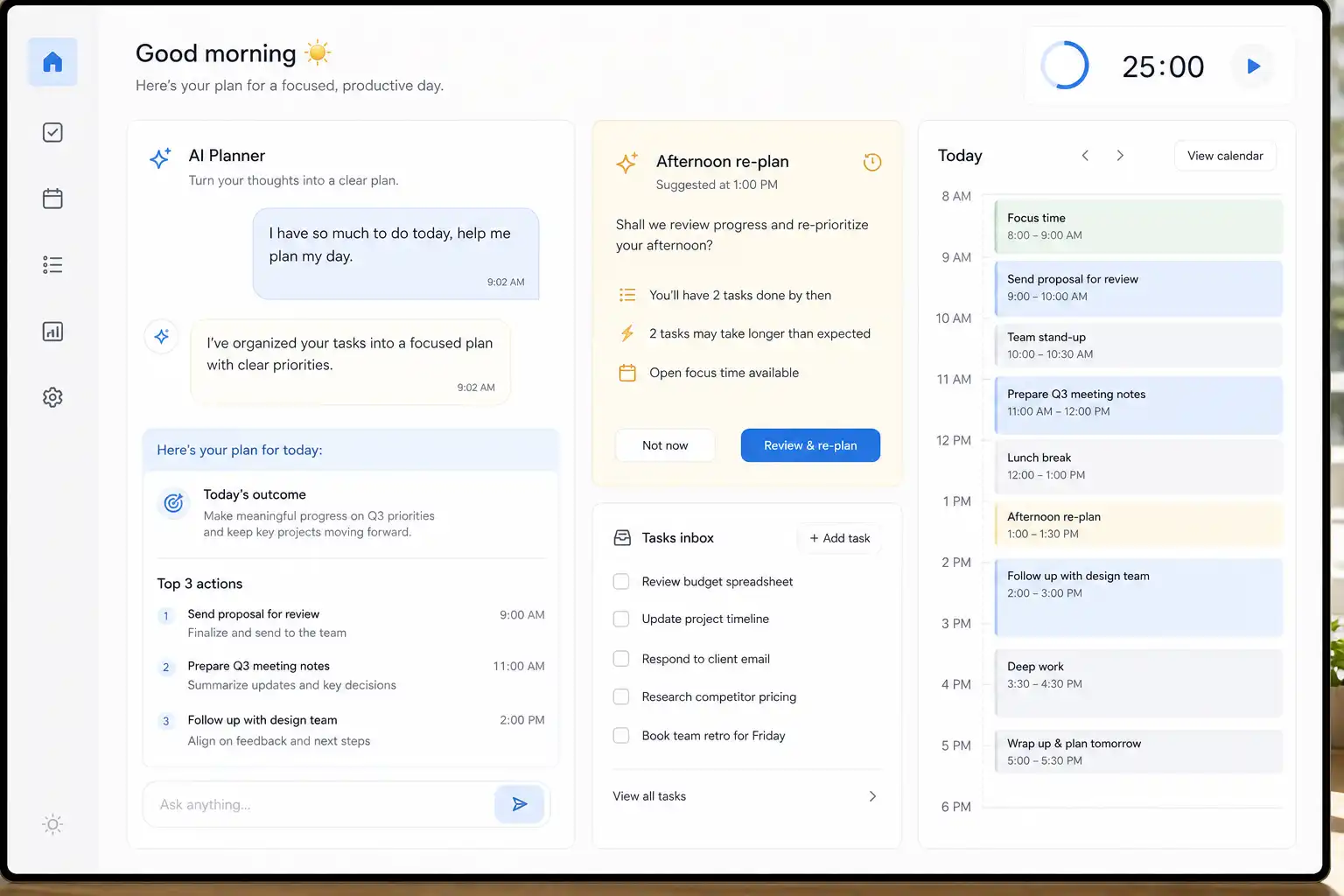
After Claude helps define the work, move the chosen actions into a system built for daily follow-through. OwnTime can fit well here because it captures actions, brings in calendar commitments, and surfaces a useful next task when a short gap appears.
Enter “order rain boots,” “send activity-fee payment,” and “plan easy dinners” as separate actions, then let the system consider deadlines and the time available. Flexible work can move when a school pickup runs late.
OwnTime is especially useful when the plan meets a tired brain, since its recommendations reduce the effort of choosing between one action and taking a needed break. Keep Claude for the planning session, and keep the task system for the next move.
Keep the setup light for one month
Use these guardrails for the first 30 days.
- Keep one shared planning project rather than creating a project for every child or room.
- Do one weekly review and one short midweek check instead of reorganizing daily.
- Limit household priorities to five for the week, even when the backlog is longer.
- Make unfinished tasks visible, then deliberately defer them, assign them, or remove them.
- Update the standing instructions when Claude repeats the same mistaken assumption.
A family task list will never prevent every surprise, but it can catch responsibilities before they quietly fall through the cracks. Schedule one 15-minute brain dump this week and use the result to choose the next five actions together.
Related articles