OwnTime
Notion Todo Lists for ADHD That Stay Usable
Build for choosing, not storing
At 4:40 p.m., a Notion workspace full of projects, errands, loose ideas, and work commitments can turn a five-minute choice into a private planning meeting. That is too much.
A useful ADHD task list has to hold up on low-energy days, after interruptions, and when focus is already spent elsewhere. Treat the system as support rather than a discipline test.
A meta-analysis of 83 studies found group-level ADHD differences across executive-function measures, with consistent differences in working memory and planning (Willcutt et al.). That result does not define every person. It does help explain why choosing a priority and getting started can feel like two separate tasks.
A database will not make an unpleasant task enjoyable. Its job is to make the next useful action easier to see.
Start with one Tasks database
Create one full-page database called Tasks, even if project notes and reference material live elsewhere in Notion. One home beats five clever systems that each require remembering where something went.
Use only the properties that help with the next decision. Every extra field adds another place where a captured task can stall.
| Property | Type | What it does |
|---|---|---|
| Task | Title | Names a concrete action rather than a vague responsibility |
| State | Select | Uses Inbox, Next, Doing, Waiting, or Done |
| When | Date | Holds a deadline, appointment-related action, or chosen reminder |
| Project | Select or relation | Connects the task to an outcome when useful |
| Duration | Select | Estimates 5, 15, 30, or 60+ minutes |
| Energy | Select | Marks effort as low, medium, or high |
| Start cue | Text | Stores a short if-then prompt for getting underway |
Skip a traditional priority field at first. Marking nearly every task as “high” does nothing useful when the clock says 4:40 p.m., so reserve Next for work that is reasonable to see soon.
Capture new items in Inbox with a title alone whenever possible. Fast capture is more useful than perfect tagging when a thought is about to disappear down the rabbit hole.
Create four views with clear jobs
Views let one database answer a smaller question at a time, rather than making every task compete for attention on one crowded screen. A decorative dashboard is optional.
| View | Filter or setup | Question it answers |
|---|---|---|
| Inbox | State is Inbox | What needs a quick decision later? |
| Next | State is Next or Doing | What could begin now? |
| This Week | When is within the next 7 days and State is not Done | What has a genuine time commitment? |
| Waiting | State is Waiting | What needs follow-up instead of more mental rehearsal? |
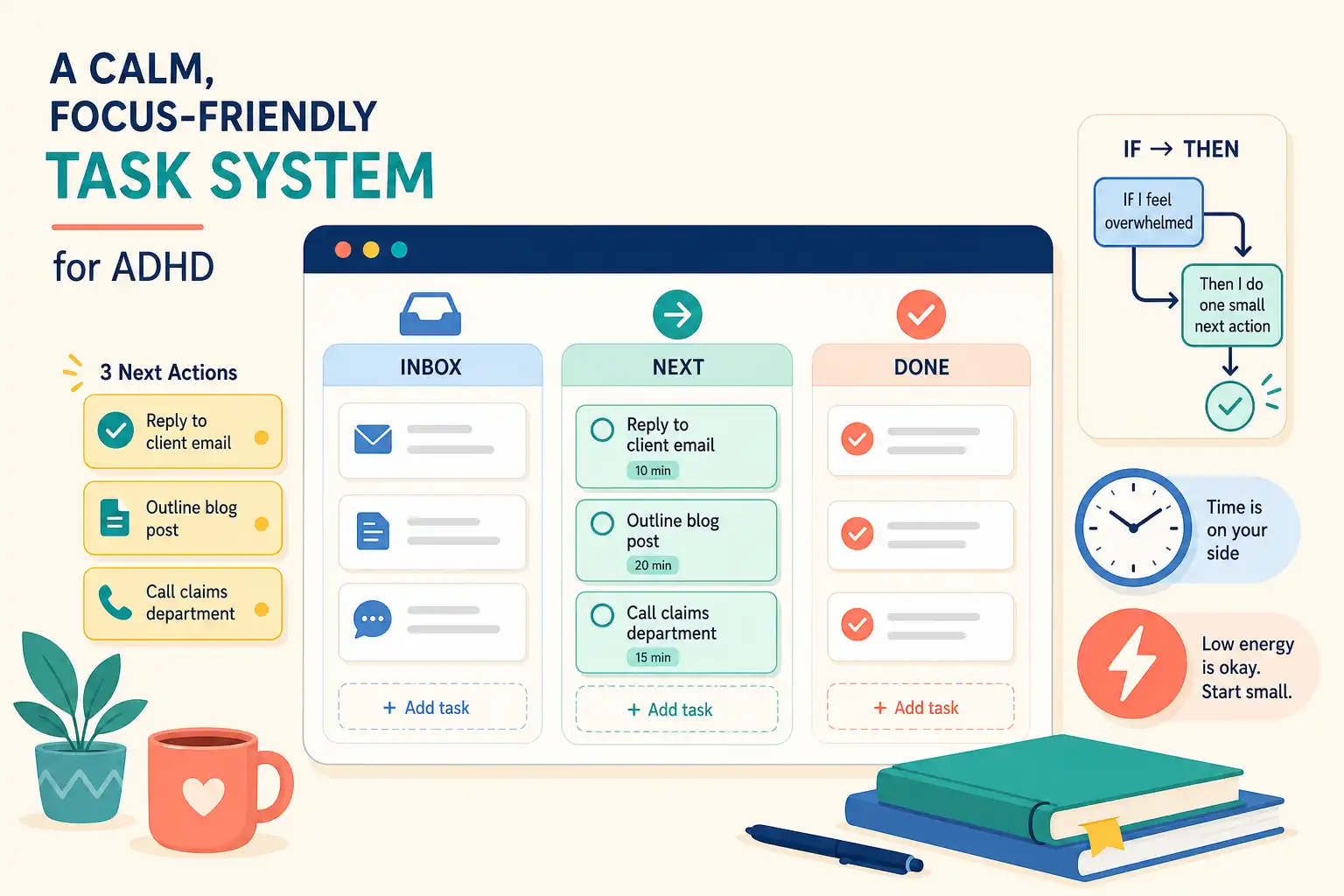
Keep Next small, with no more than 3 tasks in Next and 1 task in Doing. A long daily list quickly becomes a menu of guilt.
The Inbox may be messy, and some tasks will not have a Project attached. The Next view needs to stay clean because it is the screen built for action.
Write tasks with an obvious first move
A task title should say what to do with hands, keyboard, or voice at the moment of starting. Vague nouns hide the entry point.
- Taxes becomes “Find last year's tax return and create a folder for 2025 documents”
- Presentation becomes “Draft a 3-slide outline for Friday's client update”
- Doctor becomes “Open the insurance portal and find 2 in-network dermatologists”
- Kitchen becomes “Put dishes in the dishwasher and wipe the counter by the sink”
The smaller task does not claim the entire project is small. It gives the project a door.
Use Start cue for tasks that keep getting avoided, especially when the work is familiar but initiation remains sticky. The cue should name a recognizable moment without becoming a schedule that creates instant resistance.
- “If I sit at my desk after coffee, then I open the client brief and write 3 rough bullets.”
- “If I have a 15-minute gap before lunch, then I call the pharmacy.”
- “If I finish meeting notes, then I send one follow-up email before opening Slack.”
- “If I shut down my laptop for the day, then I write tomorrow's first task in Next.”
Use defaults that reduce executive-function load
ADHD involves more than knowing what matters, which is why another inspirational list rarely closes the gap between intention and action. Executive-control research describes higher-order skills involved in self-regulation and goal pursuit, with meaningful variation between people and situations.
The practical design choice is to move task details out of working memory and into a low-choice view. A task that names its first move and expected duration asks less at the point of starting.
There is a limited but useful research case for if-then plans. In studies involving children with ADHD, implementation intentions were associated with better performance on executive-control tasks involving inhibition, shifting, and resisting distraction (Gawrilow, Gollwitzer, and Oettingen).
That study did not test Notion or prove that one sentence fixes procrastination for adults. It gives a good reason to replace “I should do this later” with a cue that states when to begin.
The clear recommendation is to avoid elaborate productivity systems that turn into a hobby with maintenance fees. If a setup needs a weekly tutorial to remain usable, it is asking too much from the people who need cognitive relief most.
Treat dates as signals, not pressure
Give a task a date when missing it has a consequence, when it is connected to an appointment, or when a reminder at a particular time would help. A date should carry information you trust.
Avoid assigning dates just to make flexible work feel official. An endless stack of overdue items teaches the brain that red badges are background decoration.
Use Notion's repeating database templates for work that needs a new entry on a dependable schedule, including a weekly team agenda, a monthly invoice, a recurring meeting agenda, or a medication refill check. Notion can create those database entries automatically (Notion's repeating-template guide).
Keep flexible life activities out of the recurring-debt machine. “Work out exactly 4 times” and “deep-clean the apartment every Sunday” work better as available options that can be chosen when the context fits.
Run a two-minute reset when the day changes
After a meeting, at the start of a work block, or when social media has become an accidental holding pattern, open Next and do a tiny reset. Skip the audit and skip the life redesign.
- Mark finished tasks as Done.
- Move genuinely blocked tasks to Waiting.
- Choose 1 task for Doing.
- Keep up to 2 additional tasks in Next.
- Add a 5-minute task when energy is low and momentum would help.
When a task has sat in Next for several days, do not treat that as proof of failure. Rewrite the first action, shrink the task, return it to Inbox, or decide it no longer matters.
Notion is strong at holding project context and reference material, while OwnTime can surface a suitable next task when choosing is the part that drains attention. For a related approach to recovering after interruptions, see ADHD work habits that survive interruptions.
Recover from common failure modes
Most Notion systems fail quietly when upkeep costs more energy than the system returns in clarity. That is a design signal, not a character judgment.
| If this happens | Try this instead |
|---|---|
| You spend hours building views and formulas | Return to the 4 views above and remove 1 property or view each week. |
| Everything has a due date | Clear dates from flexible tasks and keep them for genuine commitments. |
| Your Inbox has 100 items | Process 10 items at a time and decide only delete, do, delegate, wait, or Next. |
| You avoid the list because it feels accusatory | Create a fresh Next view, choose one 5-minute action, and leave the backlog alone today. |
| A project task is too big to touch | Add one task that creates a visible artifact such as a file, draft, call, or question. |
Do not rebuild the workspace after 2 weeks away. Open Inbox, choose one task for Next, and continue from that point.
Questions about Notion todo lists for ADHD
Can Notion send reminders for tasks?
Yes. Add a date to a database task and set a reminder when a notification would be useful, especially for appointments and time-sensitive follow-ups.
Keep reminders selective. A notification dismissed by reflex is background noise, not support.
How many tasks belong in a daily Notion view?
For many people, 3 intentional Next tasks and 1 current Doing task is plenty, particularly on days with meetings, errands, or caregiving. A deadline can remain visible in This Week without competing with every optional task.
Should projects and tasks use separate databases?
Start with one Tasks database and a simple Project property because capture and action selection stay quick. Create a separate Projects database when project-level notes or related documents have become hard to manage in one place.
Complexity should solve a current problem. It does not need to prepare for every hypothetical future project.
Does this work with unpredictable energy?
That is where Duration and Energy earn their place. On a low-energy day, choose a 5- or 15-minute task that does not require deep thought and let that count.
When the list feels heavy, run the 2-minute reset, pick one visible action, and leave the rest of the database alone until the next check-in.
Related articles