OwnTime
TickTick vs Google Tasks for Remote-Work Energy
A task system can protect energy without creating it
At 5:30 p.m., a useful task list should show what can wait until tomorrow instead of inviting one more pass through the inbox. That boundary saves mental effort.
Neither Google Tasks nor TickTick can create sleep, reduce an unreasonable workload, or fix unclear ownership on a remote team. They can reduce the repeated decisions around capture, follow-through, and ending the workday.
Start with recovery boundaries
Short daily rest periods and short sleep duration were both associated with more sleep difficulties, poorer mental health, and presenteeism in a cross-sectional survey of daytime workers by Ikeda et al. published in 2022. That study shows an association, not that a task app causes those outcomes (Ikeda et al., 2022).
The practical lesson is straightforward. Use reminders to surface the next reasonable action during work hours and to close the day, rather than turning every evening into scheduled catch-up.
A full list is not a personal failure. It is often evidence that the list is holding work your brain would otherwise keep rehearsing.
Before choosing an app, identify the friction that appears most often.
- Tasks disappear into email or meeting notes. Choose the tool that captures work where it already arrives.
- Tomorrow feels vague, so work spills into the evening. Choose a short daily planning habit and a visible shutdown cue.
- Momentum drops after lunch or a dense meeting block. Favor clear next actions over a detailed master plan.
- Recurring basics keep slipping away. Look for flexible repeating tasks that can handle lunch, movement, or a weekly review.
For broader ideas on keeping those boundaries workable, see Remote Work Habits That Protect Personal Time.
The practical differences
| Question | Google Tasks | TickTick |
|---|---|---|
| Where does work enter the system? | Gmail, Google Calendar, and other Google Workspace surfaces | A dedicated place for work and personal capture |
| How much setup does it need? | Very little | More settings, which calls for restraint at the start |
| How visible is the day? | Dated tasks can appear in Google Calendar | Calendar views plus task-focused views |
| Can it handle repeat routines? | Yes, through repeating tasks | Yes, through recurring tasks and a separate habit feature |
| What helps after an energy dip? | A short dated list with little visual noise | Focus tools, reminders, priorities, and routines |
| Best fit | Google Workspace teams that want fewer places to check | People who want to shape their workday and personal routines more actively |
The larger difference is the amount of thinking required after a task has been captured. Google Tasks keeps that load low, while TickTick gives more ways to guide the next decision.
Choose Google Tasks for a low-friction Workspace flow
Google Tasks is the sensible pick when your team already runs through Gmail and Google Calendar, and messages are becoming mental clutter after the laptop closes. It is the low-admin route.
A follow-up can move from an email or Calendar event into your task list without building a second workspace to maintain. Google Tasks works across Gmail, Calendar, Chat, Drive, and other Workspace surfaces, while tasks with dates can appear on the Calendar grid (Google Workspace documentation).
That proximity matters when much of the day already happens in Google tools. No separate inbox needs tending.
A beginner Google Tasks setup
- Create Work and Personal lists. Resist making a list for every project during the first month.
- Add dates only for a true deadline, appointment, or time-sensitive follow-up. Undated tasks are allowed.
- When processing email, capture the next action, such as Send revised scope to Mina, instead of copying the whole thread.
- Add one weekday task near the end of the workday, such as Write tomorrow's first step and close work. Keep the ritual under five minutes.
Google Tasks will not become a complete personal operating system, and that limitation is often helpful. When the goal is to stop losing commitments while keeping work visible in Calendar, its restraint protects attention better than a feature-heavy system that receives constant maintenance.
Choose TickTick for deliberate day pacing
TickTick fits a different problem: you remember the work, yet deciding how tasks, routines, and focus time fit into an uneven day still drains you. It offers more controls.
For energy-aware remote work, TickTick is the stronger choice for someone willing to spend one short session establishing useful defaults. Its extra tools can remove decisions at the moments when tiredness makes even a small choice feel expensive.
TickTick combines task capture with calendar views, recurring tasks, reminders, a focus timer, and a habit module (TickTick's beginner guide). A color-coded schedule for every hour is unnecessary.
A beginner TickTick setup
- Start with four lists: Inbox, Work, Personal, and Someday. Put uncommitted ideas in Someday so they do not compete with today's work.
- Create a weekday shutdown task whose first subtask says Choose tomorrow's first work action. This limits the evening planning spiral.
- Track one or two supportive routines, such as a proper lunch or a weekly planning review. A routine scheduled three times a week is often easier to keep than one that demands a perfect daily streak.
- Use the focus timer for one meaningful task after a meeting-heavy stretch. Treat it as a restart cue rather than a scorecard for desk time.
- Reserve repeated reminders for appointments, hard deadlines, handoffs, and the shutdown ritual. Notifications for everything quickly become wallpaper.
More features are useful only when they replace a decision you would otherwise make while tired. If you keep reorganizing settings, reduce the system until it feels almost boring.
Keep team coordination separate from personal recovery
A task app should never turn a teammate's sleep or energy into a dashboard. Personal task management works best beside a lightweight shared system for work.
Set one team rule for handoffs, deadlines, and decision records, then let each person manage their own routines privately. For example, a project tracker can hold ownership and delivery dates while each person sends their next actions into Google Tasks or TickTick.
Google Tasks has an obvious advantage when a task begins as a Gmail message, Google Chat item, or Calendar follow-up. TickTick can be the better personal layer for someone who wants habits and focus sessions beside work tasks.
Neither app can repair shifting priorities, missing ownership, or a culture that expects replies at 10 p.m. Those are team design problems.
End meetings with a named owner, a due date when one exists, and a definition of done. That small practice prevents many after-hours clarification loops.
Fix the setup before replacing the app
Most task systems fail because they add friction at the wrong moment, not because someone lacks discipline. These patterns are common, and each has a specific adjustment.
| Failure mode | What you will notice | Specific adjustment |
|---|---|---|
| Every task has a due date | The calendar feels urgent from morning to night | Remove dates from flexible tasks and keep them for commitments or hard deadlines |
| Notifications become background noise | Reminders are dismissed without being read | Keep alerts for appointments, handoffs, deadlines, and shutdown; turn off the rest for seven days |
| The list grows faster than it shrinks | Opening the app starts to feel unpleasant | Run a 10-minute weekly review and move nonessential items to Someday or delete them |
| Routines become guilt traps | Missing one lunch break or workout stops the practice entirely | Set a weekly frequency or use a smaller version, such as a 10-minute walk |
| The team lacks a shared source of truth | People ask in chat who owns an item | Put project ownership in one shared team system and keep the personal app for individual follow-through |
Make the simple choice
Choose Google Tasks when Gmail and Calendar already contain most of your work, and you want the shortest path from receiving a request to recording the next action. Choose TickTick when recurring routines, focus periods, and low-energy decision-making need more structure.
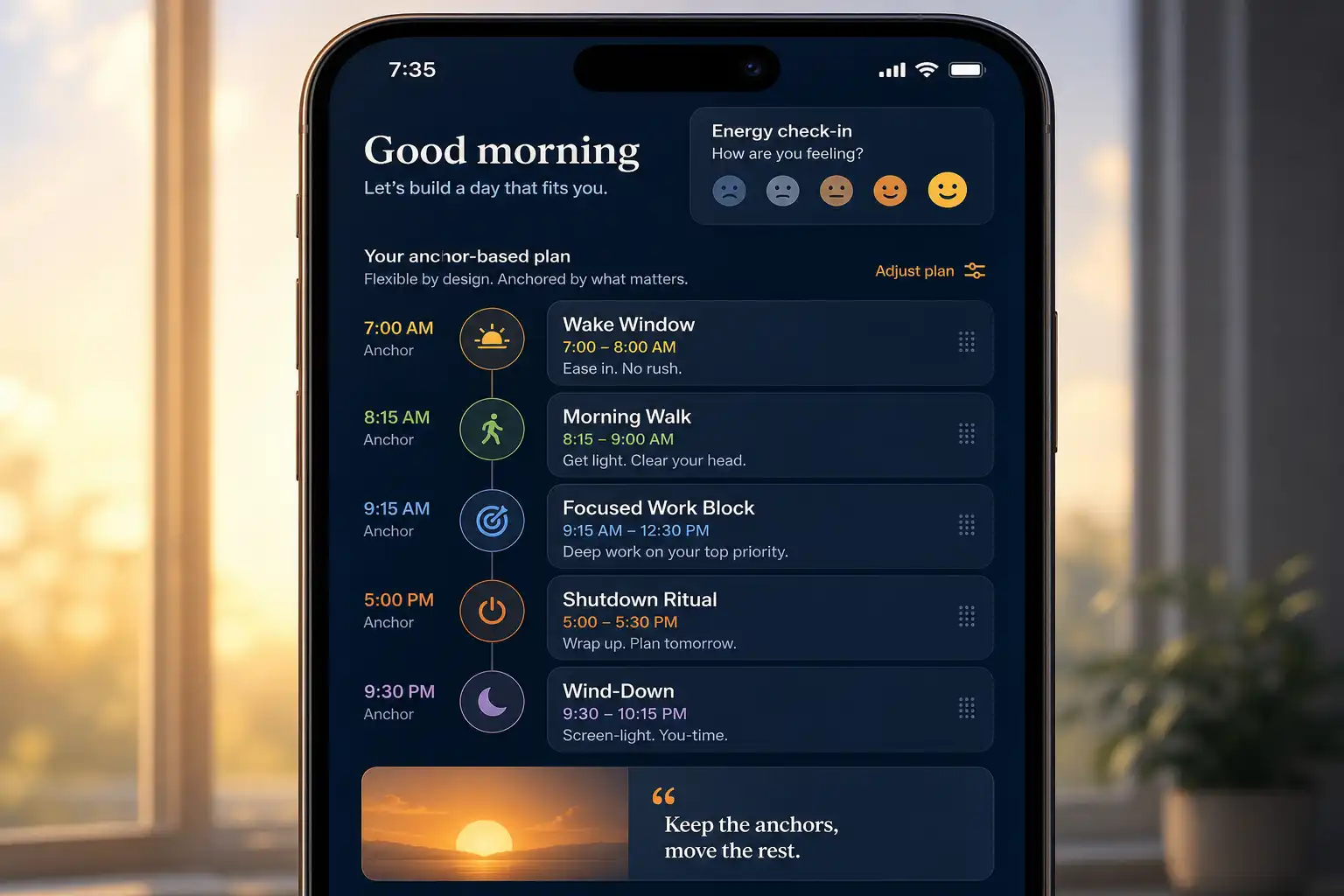
Some people eventually need more than a static list because their available time and energy change from day to day. OwnTime can serve as a flexible personal guidance layer in that situation, especially when choosing well in the moment works better than following a fixed schedule.
Begin with a small number of lists and a single end-of-day routine, then use the system for 10 workdays before adding anything. Remove any reminder that repeatedly arrives after work without helping you act.
Related articles