OwnTime
To-Do Lists for Founders: Keep Routines on Track
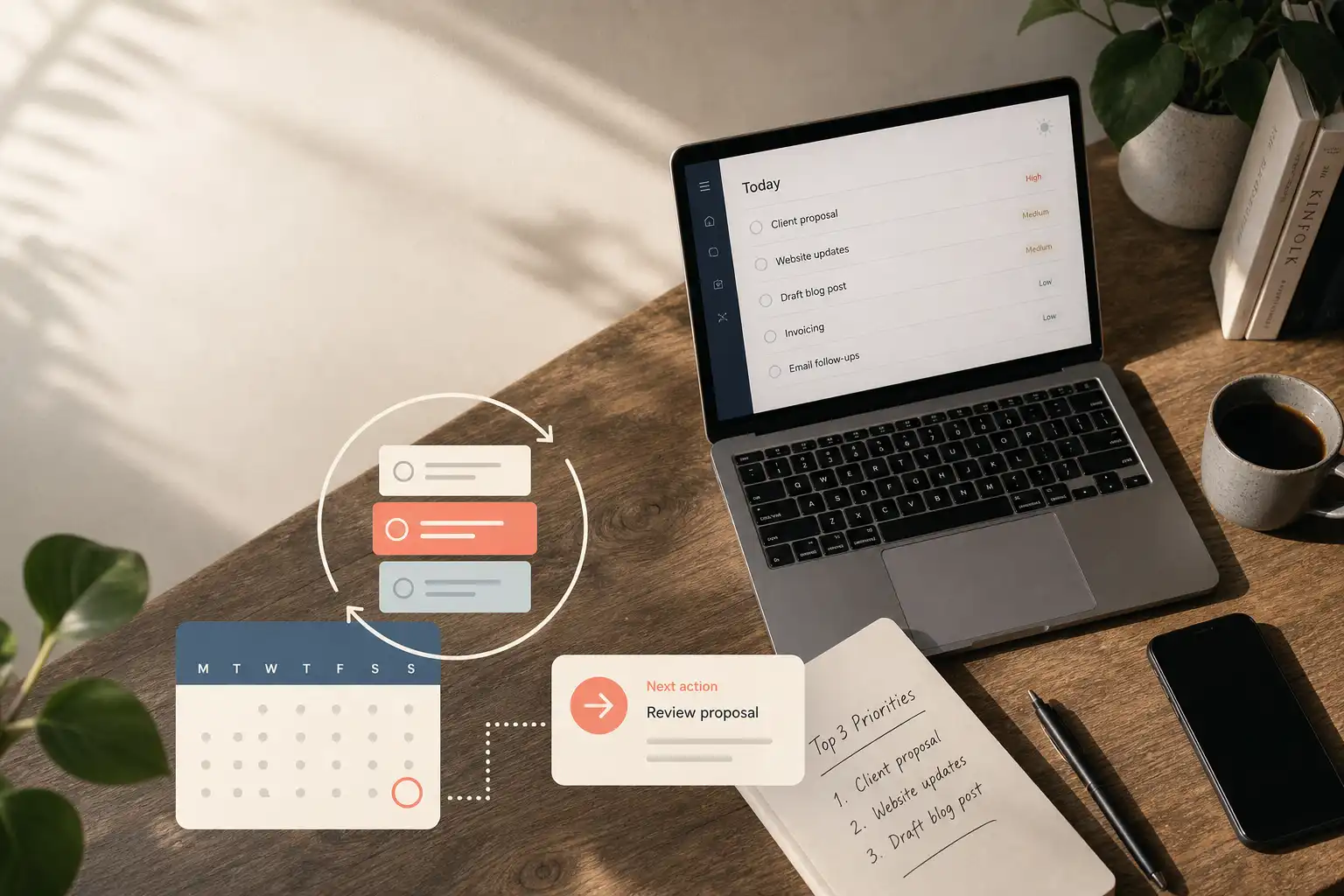
Why one long list breaks down
Before lunch, a founder may need to decide on a product change, revise a client deliverable, chase a sales lead, approve an invoice, and handle a personal errand. A single unchecked queue treats those jobs as equal. That is poor design.
A flat list forces you to remember context, set priorities, estimate available time, and remake the plan whenever you open it. That effort stays hidden. Research on everyday task management found that people develop practical strategies for different task problems, rather than simply failing at prioritization; a useful system should support those strategies instead of turning every commitment into the same scary row of checkboxes. This foundational task-management study examined how people recorded, organized, and completed work.
The target is not a polished dashboard with 14 filters. It is a system you trust to show the next useful action when time and energy finally appear.
Give capture and time separate homes
Keep two places for commitments: an inbox for anything requiring action, and a calendar for work tied to a specific time. The inbox catches loose ends before they leak into email, chat, or memory. One inbox is enough.
Your inbox can be a paper notebook, a task app, or a plain note that works on both your phone and desktop. Capture the item first, then decide what it means during a review. Sorting while leaving a meeting is busywork disguised as organization.
The calendar has a narrower role. Put calls, appointments, hard deadlines, and protected work blocks there, then leave flexible tasks off it until you have a credible reason to reserve time. A calendar packed with hopeful 10:00 a.m. tasks becomes fiction by Wednesday. For a more detailed approach to protecting client capacity without scheduling every hour, see TickTick calendar capacity planning for client work.
For the next 7 days, use these capture rules.
- Add an action to the inbox as soon as it occurs to you.
- Turn a message needing more than a quick reply into its next action, rather than leaving it in email or chat.
- Record a requested commitment before promising that you will remember it.
- Put an uncommitted idea on a Someday list instead of treating it as today's work.
Sort work by what it is
During a short planning session, assign each inbox item a home based on its actual shape. This is triage. It stops a monthly bookkeeping process from competing with a two-minute reply as though both were standalone tasks.
| Type of item | What it means | Where it belongs | Example |
|---|---|---|---|
| Task | One concrete action | Active list | Send revised proposal |
| Project | An outcome requiring several actions | Project list with a next action | Launch referral page |
| Routine | Work that returns on an approximate rhythm | Routine list or recurring reminder | Review pipeline weekly |
| Appointment | A commitment with a fixed time | Calendar | Client call at 2 p.m. |
| Someday idea | Worth keeping without a current commitment | Someday list | Explore a podcast partnership |
Do not make a project one giant checkbox. That move reliably creates avoidance because the first step remains unclear. Keep the outcome, such as “launch referral page,” on a project list and place one visible next action beside it.
Write actions you can start
“Improve onboarding” and “work on marketing” may be sensible goals, yet neither tells you what to do with a spare 30 minutes. Name the first physical or digital move instead. Starting each active task with a verb makes the list fairer on a tired afternoon.
| Vague item | Better next action |
|---|---|
| Work on onboarding | List three signup drop-off points from support emails |
| Deal with taxes | Download last month's bank transactions |
| Grow newsletter | Draft five subject lines for the next issue |
| Follow up with leads | Send a two-sentence check-in to the three warmest leads |
Specific wording reduces the cost of beginning, which is where many well-meaning plans stall. “Open analytics and export trial conversions” has a clear finish line. “Figure out growth” is a fog machine.
Choose a realistic day
Spend 5 minutes each workday looking at the calendar and active list before messages take over. Choose work for the day you actually have, including meetings and likely interruptions. Sunday-night optimism is a terrible capacity planner.
A practical daily selection has three lanes:
- Progress work includes one meaningful action that advances a project, such as shipping a feature or writing a proposal.
- Relationship or revenue work covers actions such as a sales follow-up, client delivery, support response, or invoice.
- Upkeep work handles a small operational task that prevents a later mess, such as reconciling expenses or updating a brief.
There is no magic daily task count. A day with three client calls may support one substantial action, while an open day can hold more. The useful constraint is an honest view of time, energy, and the interruptions already on the books.
Reserve calendar time when work needs uninterrupted thought and you can protect the block. Keep it on the active list when it is flexible. Treating every task as an appointment wastes the calendar's credibility.
Treat routines as flexible commitments
Routines are ongoing maintenance, not failed tasks that happen to repeat forever. Reviewing leads, issuing invoices, updating finances, exercising, and planning the week all need a rhythm rather than a pile of overdue reminders. This distinction matters after a launch week or conference disrupts the normal schedule.
Most recurrence settings are too rigid for independent work. A routine should tell you what needs attention and roughly when, without claiming that every Tuesday at 9:00 a.m. is equally available. Strict timing belongs to external requirements such as payroll, a client call, or a filing deadline.
Give each routine a cadence and a condition. “Review the sales pipeline once this week, preferably before Friday” leaves room for reality, whereas a fixed Tuesday reminder can become noise after one disrupted morning. Use one of these four formats when setting it up.
- Review cash flow once during this week.
- Contact active clients every 10 to 14 days.
- Send recap notes after each discovery call.
- Restock office supplies when working near the shop.
When a routine is missed, reschedule it sensibly and continue. Leaving it overdue for 18 days does not create accountability; it creates visual clutter and a guilt tax.
Use a weekly reset to keep the system believable
Set aside a weekly reset at a time you can usually protect, even if the day changes from week to week. This is the moment when captured thoughts become decisions again. Thirty minutes is often enough once the system is established.
Use the reset to do the following.
- Empty the inbox by deleting, delegating, scheduling, or sorting every item.
- Check the next 2 weeks of calendar commitments and deadlines.
- Review active projects and confirm that each has a visible next action.
- Reschedule routines that were actually missed instead of leaving them overdue.
- Move ideas you are not pursuing back to Someday.
- Remove tasks that no longer matter.
Deleting stale tasks is maintenance, not quitting. A list filled with obligations from an older version of the business cannot guide today's decisions. It is busywork wearing a serious face.
Let tools reduce decisions, not create more work
Task tools help when they reduce maintenance or prevent a mistake that would otherwise be easy to miss. They fail when configuring tags, views, and automations becomes another recurring project. A simpler system used every day beats an elaborate workspace checked twice a month.
OwnTime, for example, can capture work quickly and surface tasks that suit available time, effort, and personal preferences when an unexpected window opens. That is useful for flexible work. The tool should suggest a reasonable option, while you retain control over priorities and strategy.
Keep notifications selective. A reminder for an invoice due tomorrow can earn its place, while alerts for every flexible task quickly become wallpaper. Ask for prompts when something is time-sensitive, easy to forget, or tied to a real consequence.
Common founder questions
Due dates should represent consequences
Use a due date for a real commitment, consequence, or decision point. Do not add one because you hope the task will vanish soon. A made-up date teaches you to ignore dates that matter.
Routines need different handling from tasks
A task is usually completed once, while a routine represents ongoing work. Give routines a range, interval, trigger, or context that reflects how the work happens. Fixed recurrence is best reserved for fixed obligations.
Client work can change the plan
Replan on the same day when client delivery blows up the schedule. Move flexible work forward and choose the next action that still fits. Preserving a plan that no longer matches reality serves nobody.
Daily review and weekly reset do different jobs
Five minutes each day is enough to choose work and spot calendar conflicts. The weekly reset does the heavier lifting by catching stalled projects, stale tasks, and routines that need adjustment. Skipping the weekly review is where most systems quietly go off the rails.
Build trust before adding complexity
Start with one inbox, a calendar you believe, and a short daily choice of work. Run that setup for 2 weeks before adding filters, automations, project views, or recommendations. Add complexity only when it removes a repeated decision or prevents a mistake you can name.
A task list will not make founder work predictable when you both run the business and deliver the work. It can make the next choice clearer when the week gets messy. That clarity is enough to keep routine maintenance alive while the larger projects keep moving.
Related articles